For most home woodworkers starting out, the Twotrees TTC3018 is the first pick: it pairs a 32-bit STM32 processor with GRBL control in a compact desktop size. GRBL is the open-source control software many hobby CNCs use, so you can find help and project files easily once you start carving signs or small parts. The trade-off is size, since it is built for small work on a bench.
The picks below run from small 3018 kits to a machine with an 18.1-inch square work area for furniture panels and larger signs. That range matters because the largest board you plan to cut decides which class of machine you need.
For each pick, you’ll see how the work area, spindle and frame affect what you can make, plus the limits buyers run into.
As an Amazon Associate we earn from qualifying purchases.
How we picked: from products sold on Amazon for this need, compared by what their makers state and what buyers report in their reviews.
The Picks at a Glance
Product | Best for | Item dimensions w x h | Item weight | Maximum rotational speed | Buyer rating | |
|---|---|---|---|---|---|---|
Twotrees TTC3018 | beginners on a desktop | — | — | 9000 rpm | 4.4 of 5 (62 reviews) | |
FoxAlien Masuter Pro | upgrading spindle power | 26″W x 12.6″H | 13 kg | 10000 rpm | 4.1 of 5 (653 reviews) | |
Twotrees TTC450 Pro | larger projects | 18″W x 3″H | 20.5 kg | — | 4.3 of 5 (606 reviews) | |
Genmitsu 3018-PRO | learning CNC basics | 7.09″W x 11.81″H | 15.3 lb | 20000 rpm | 4.1 of 5 (1,702 reviews) | |
LUNYEE 3018 Pro Max | denser materials | 7.09″W x 11.81″H | 13 kg | 12000 rpm | 4.0 of 5 (258 reviews) |
Buyer ratings as shown on Amazon on November 20, 2026; they change.
Twotrees TTC3018: Best for beginners on a desktop
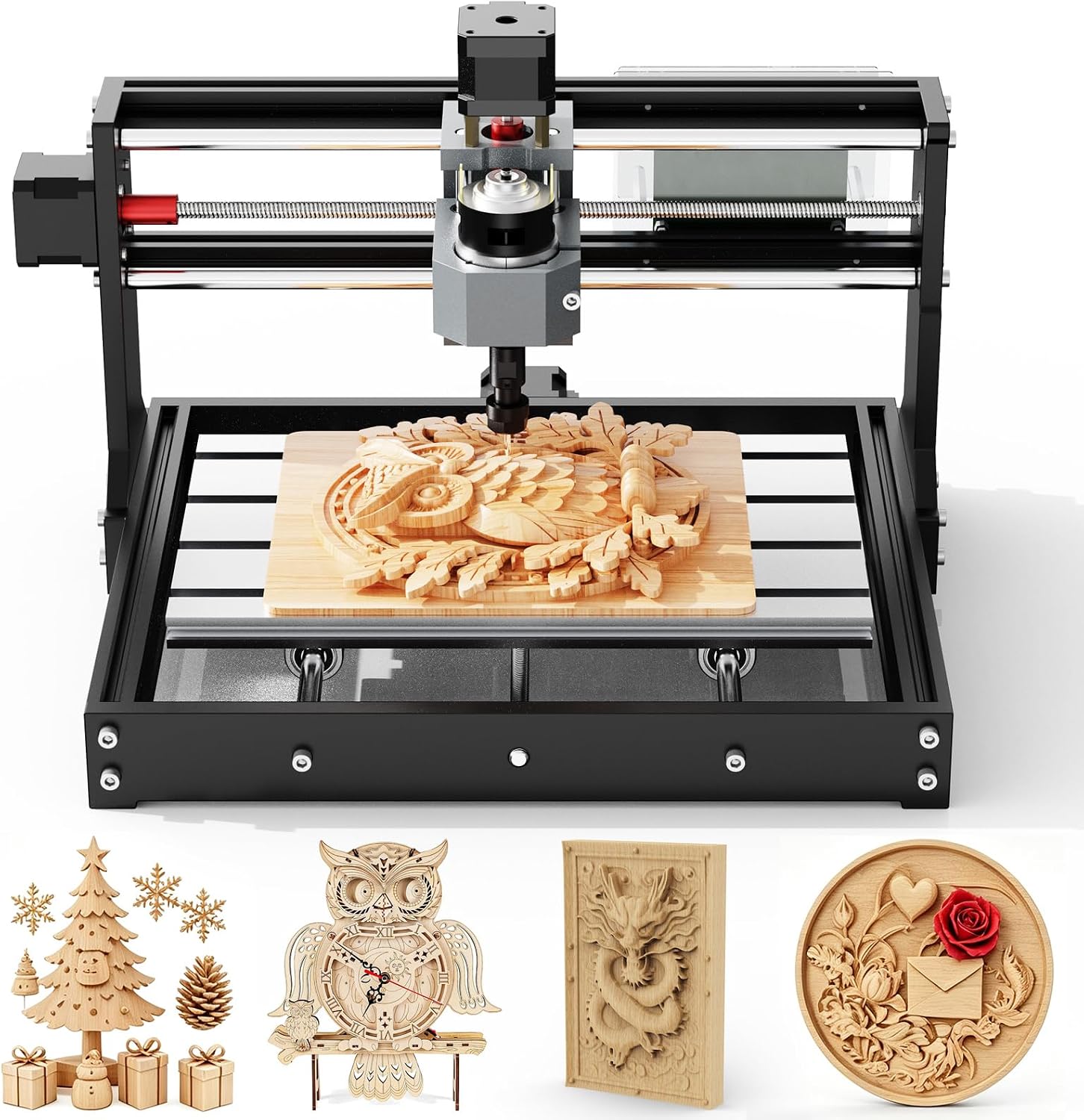
The TTC3018 suits a first-time CNC owner who wants a compact machine on a bench or desk. It runs on a 32-bit STM32 processor with GRBL control, and the maker rates it for 0.1mm engraving accuracy at speeds up to 1500mm/min. GRBL is common, open control firmware, so the tutorials and software you find while learning will usually apply to it.
The work area is 300x180x40mm, about 11.8 by 7.1 inches, inside a footprint of 420x355x280mm. That is room for signs, coasters, small plaques and inlay pieces, and the whole machine fits on a typical workbench without taking it over. You can run jobs from a TF card or over USB. With a TF card you load a file and cut without keeping a computer tethered beside the machine, which helps in a dusty garage shop.
The maker lists a 775 spindle at 7000-9000 RPM with an ER11 collet that holds 0.5-7mm bits. That covers small end mills and V-bits for carving and lettering in wood and plastics. The machine arrives as a kit that you assemble, guided by a multilingual manual and a video tutorial.
Pros
32-bit board with GRBL control
Small enough for a desktop
Runs offline from a TF card or over USB
ER11 collet takes common small bits
Cons
The 40mm Z depth, about 1.6 inches, limits how thick a board you can carve or cut, so 2x lumber and deep relief work are out.
Its top spindle speed of 9000 rpm is below the 20000 rpm of the Genmitsu 3018-PRO, so fine cuts may need slower feeds.
You have to assemble it before your first cut.
If you need to work thicker stock or full panels, look at the Twotrees TTC450 Pro instead.
FoxAlien Masuter Pro: Best for upgrading spindle power

The FoxAlien Masuter Pro suits woodworkers who want to start with a modest spindle and move up to more cutting power later. It ships with two spindle clamps, 52mm and 65mm, that fit 60W and 300W spindles, and the maker lists upgrade options such as a 65mm router or a 1.5KW spindle. That means the machine you buy for small engraving jobs can later take on deeper carving without replacing the whole frame.
The frame is all metal with a linear rail Z-axis. A stiffer frame and a guided Z-axis flex less when the bit bites into hardwood, so cut edges stay cleaner and the bit is less likely to chatter. That matters more once you fit a stronger spindle and push harder cuts.
The controller sits in a compact, dust-resistant box with an emergency stop and a home button within easy reach. Routing wood throws fine dust everywhere, so a sealed box helps protect the electronics in a garage or basement shop. The home button returns the machine to its starting point with one press, which saves time between jobs.
The stock spindle is rated at 60 watts with a maximum speed of 10000 rpm. That is enough for engraving signs and shallow pockets in softwood, but you will want one of the upgrade spindles for heavier work in dense hardwoods.
Pros
All-metal frame with a linear rail Z-axis
Clamps for 60W and 300W spindles included, with router upgrade options
Dust-resistant controller with emergency stop and home buttons
Cons
The included 60-watt spindle is light for hardwood, so serious cutting means buying an upgrade spindle
At 13 kg, it is heavy to move on and off a bench
If you want more spindle power out of the box for dense stock, look at the LUNYEE 3018 Pro Max instead.
Twotrees TTC450 Pro: Best for larger projects
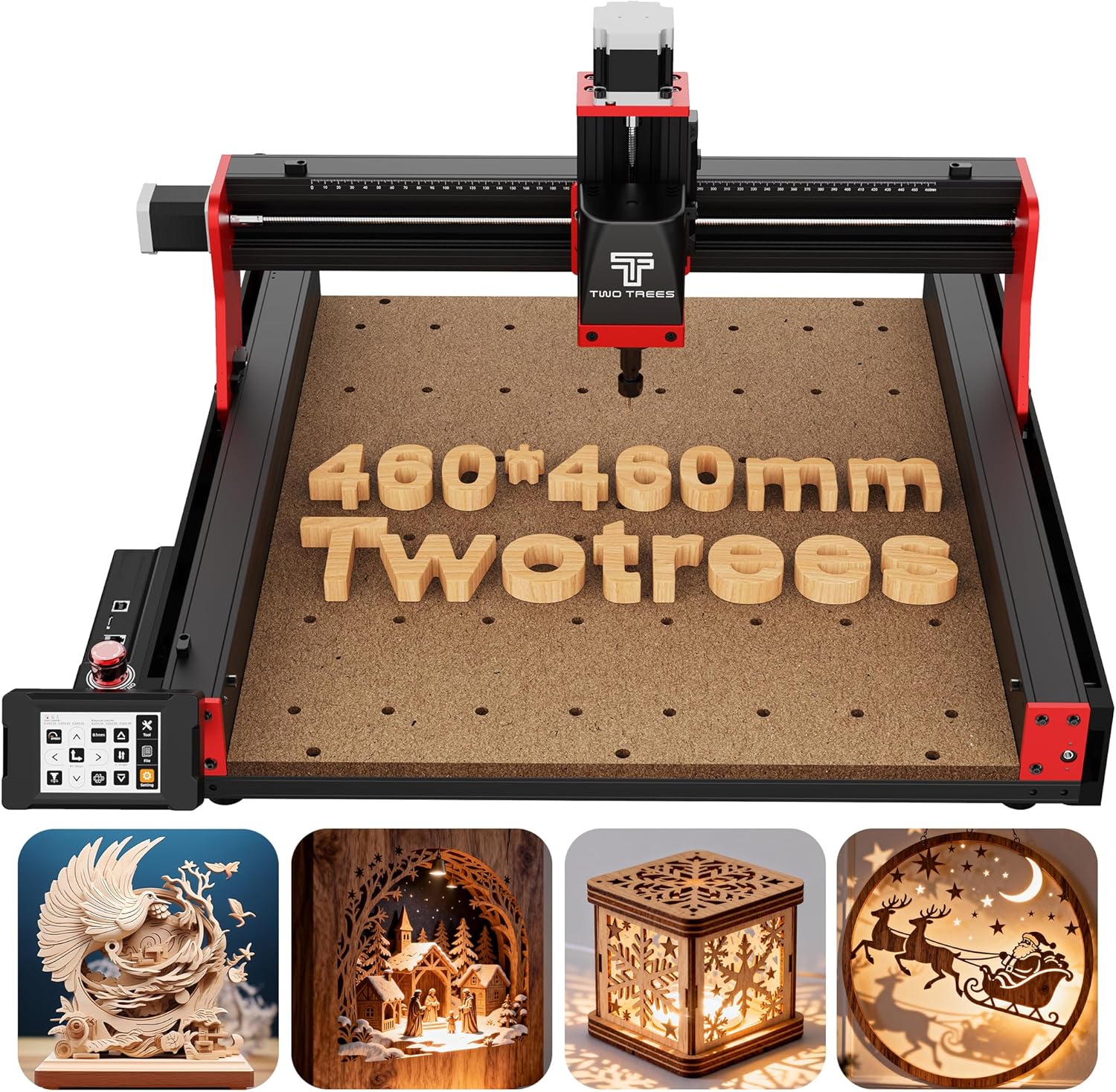
The TTC450 Pro is the pick for larger projects, built for woodworkers who outgrow small 3018-class machines. Its square work area is 18.1 inches (460 x 460 x 80 mm), large enough for furniture panels, big signs and batch runs of parts. It is also built to grow, with ports for add-on modules.
That 460 x 460 mm bed lets you carve a full-size house sign in one setup. On a smaller bed you would have to split the design into sections or shrink it. The 80 mm of Z travel gives the bit room to work in thicker stock and in deeper relief carving. You can also clamp several small blanks side by side and cut them in one job.
You run the machine from a 3.5-inch IPS capacitive touch screen, so you can jog the axes and start jobs without keeping a laptop beside it. The control box has a 4th-axis rotation port, a laser module port and a 500W spindle speed control port. In practice, you can add a rotary axis for round work, a laser for engraving, or a stronger spindle later without replacing the controller.
Pros
An 18.1-inch square work area handles panels and signs
Upgrade ports cover a 4th axis, a laser and a 500W spindle
Dual limit switches on the X, Y and Z axes
Buyers say it is easy to set up and use, and they praise the build quality
Cons
Some buyers report that it runs hot, lacks power for the job, or stopped working after about a month
At 20.5 kg, it is the heaviest of the picks, so it is hard to move off a small bench
The large bed takes up a lot of room on a small workbench
If you only make small carvings on a cramped bench, the TTC3018 is the better fit.
Genmitsu 3018-PRO: Best for learning CNC basics

The Genmitsu 3018-PRO is the pick for learning CNC basics: it is a compact desktop router designed for beginners, makers and DIY projects. The maker says its upgraded assembly reduces setup complexity and its raised base improves stability. That puts the focus on learning to carve, engrave and mill rather than on building a machine.
The maker lists wood, acrylic, PVC, plastic, PCB and soft aluminum as workable materials with the right bits and cutting settings. In practice, you can start with wooden signs, move to acrylic or plastic parts, and try circuit board prototypes on the same machine, as long as you match the bit and feed settings to each material.
The machine runs on open-source GRBL control, and you use Candle to control movement and run G-code files. GRBL has extensive community resources, so when your first cut goes wrong, you are likely to find someone who has solved the same problem. An included offline controller also runs basic functions and compatible G-code files without a computer connected. That lets you keep a laptop off a dusty bench once a job is ready.
The spindle is rated at 120 watts with a maximum speed of 20000 rpm. The machine weighs 15.3 pounds, light enough to move off the bench and store between projects.
Pros
Buyers say it is a good entry-level machine for learning CNC
Buyers report good build quality
GRBL and Candle make G-code basics approachable
Offline controller frees you from a tethered computer
Cons
Buyers find assembly complicated and say the included instructions leave things out, which matters most if this is your first machine
Buyers report the X, Y and Z motor connections come loose over time, so expect to recheck wiring
The 300 x 180 x 45 mm working area limits you to small projects and thin stock
If you want a beginner machine with a different control setup, look at the Twotrees TTC3018, and if you want a larger work area, the Twotrees TTC450 Pro fits better.
LUNYEE 3018 Pro Max: Best for denser materials

The LUNYEE 3018 Pro Max is the pick if you want a small desktop machine with more spindle power and Z travel than a typical 3018 kit. It has a 500W spindle, an all-metal frame and an 80mm Z-axis stroke inside a 300 x 180 x 80mm work area. That combination suits hardwoods, thicker stock and the occasional soft-metal job.
The maker lists a spindle speed range of 0-12000 RPM and a maximum movement speed of 5000mm/min. A wide speed range lets you slow down for dense material or speed up for clean passes in softwood and MDF. The 500W spindle is rated for dense materials like aluminum and copper, so oak or maple boards are well within its intended range.
The frame uses reinforced aluminum profiles with no plastic parts except electrical components. A stiffer frame flexes less under a heavier spindle, which helps keep cuts clean. Six limit switches and an emergency stop button guard against crashes, and manual handwheels on the XYZ axes help you set the machine origin by hand. GRBL offline control means you can run jobs without keeping a computer tethered. A 4G USB flash drive with the software preinstalled comes in the box.
Pros
The 80mm Z travel handles thicker boards than a 40mm-Z machine
The top spindle speed of 12000 rpm is higher than the TTC3018’s 9000 rpm
You can switch between spindle and carving modes for cutting, marking and etching
Buyers say the all-metal build feels solid and that clear instructions and videos make assembly easy
Cons
Some buyers report connectivity problems with the machine
Buyers find the learning curve steep for beginners
The 300 x 180mm work area limits you to small panels and signs
If you are new to CNC and mainly want an easy first machine, the TTC3018 is the better place to start.
What should you look for in a woodworking CNC?
Start with work area, because no amount of spindle power helps if your project doesn’t fit on the bed. Measure the largest panel you plan to carve, then check both the flat footprint and the Z depth, which is how far the bit can travel up and down and so how thick your stock can be.
The spread is wide. The FoxAlien Masuter Pro has a 15.75 x 15.75 x 2.36 inch (400 x 400 x 60 mm) surface. That fits a cutting board or small sign. The TTC450 Pro reaches 460 x 460 x 80 mm. Its 80 mm of Z depth matters when you plan to carve into thick hardwood blanks.
Spindle power comes next. Small machines often run 60W or 300W spindles, and the Masuter Pro includes 52mm and 65mm clamps for exactly those sizes. A 500W spindle like the LUNYEE’s can keep cutting consistently through dense materials. In practice, more power lets you take deeper passes in hard woods instead of many shallow ones.
A rigid frame keeps cuts clean. Look for an all-metal build and a linear rail Z-axis, which the Masuter Pro uses for stability during detailed cutting.
Control and safety features round out the list. An emergency stop button and limit switches let you halt the machine and keep axes from crashing into their ends. Offline control lets you run G-code files without keeping a computer connected. Upgrade ports, such as the TTC450 Pro’s 4th-axis and laser module ports, let the machine grow with your projects.
Which CNC should you buy first?
Start with the Twotrees TTC3018: it is the first pick for beginners who want a compact machine on the bench. It is a compact CNC mill built for beginners and creators, with a 300x180x40mm work area that suits signs, coasters, small boxes and other personal projects. If you want to learn the workflow before spending on a bigger frame, this is the easy place to begin.
Your next step is to settle on the work area you need before you compare spindles or frames. Measure the largest panel you plan to carve and the thickest board you plan to cut. Then pick the smallest machine that fits both. A 3018-class bed is fine for a 10-inch plaque, but an 18-inch tabletop sign calls for a larger machine.