The Twotrees TTC3018 is the first pick if you’re buying your first CNC for hobby woodworking and engraving. It’s a compact desktop machine with a 300x180x40mm work area, roughly 11.8 x 7 inches, so it fits on a workbench and handles signs, coasters and small parts rather than full panels. It cuts wood, plastics, acrylic and soft metals like copper and aluminum, which gives you room to experiment as you learn.
The best CNC for you depends on how big your projects get and whether you want to carve or burn designs into a surface. The picks below run from small 3018-size routers to larger all-metal machines, plus one laser engraver for signs and gifts.
This article contains affiliate links; we may earn a commission if you buy through them.
As an Amazon Associate we earn from qualifying purchases.
How we picked: from products sold on Amazon for this need, compared by what their makers state and what buyers report in their reviews.
The Picks at a Glance
Product | Best for | Item weight | Horsepower | Power source | Buyer rating | |
|---|---|---|---|---|---|---|
Twotrees TTC3018 | beginners and classrooms | — | 0.67 hp | ac | 4.4 of 5 (62 reviews) | |
Genmitsu 3018-PRO | learning CNC basics | 15.3 lb | 120 watts | Corded Electric | 4.1 of 5 (1,703 reviews) | |
Twotrees TTC450 Pro | growing into bigger projects | 20.5 kg | 80 watts | ac | 4.3 of 5 (607 reviews) | |
FoxAlien Masuter Pro | spindle upgrades | 13 kg | 60 watts | ac/dc | 4.1 of 5 (652 reviews) | |
LONGER Ray5 10W | engraving signs and gifts | 9.38 lb | — | — | 4.3 of 5 (181 reviews) |
Buyer ratings as shown on Amazon on November 22, 2026; they change.
Twotrees TTC3018: Best for beginners and classrooms
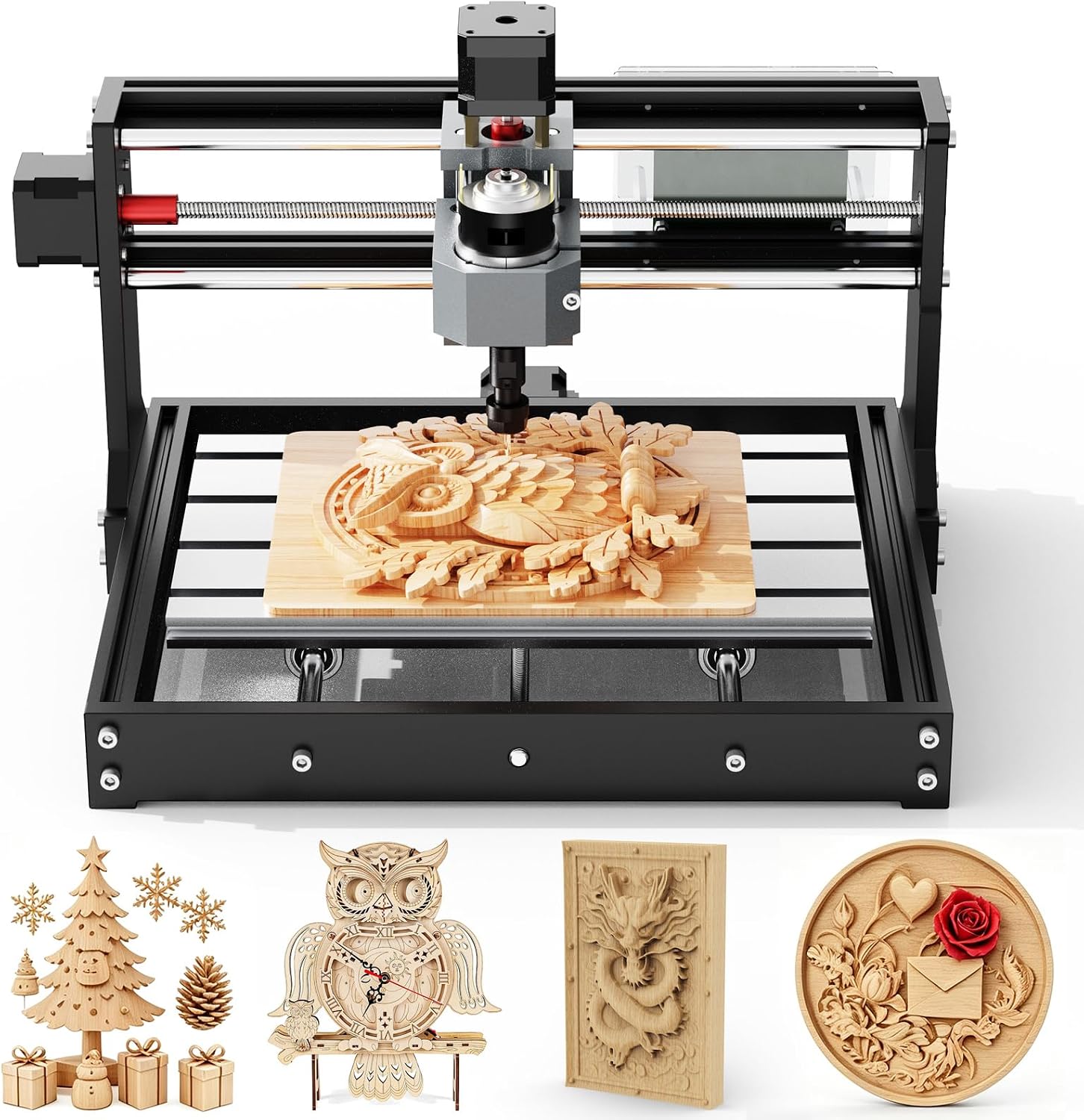
The Twotrees TTC3018 is the pick for beginners and classrooms because it fits on a desk and keeps setup and control simple. The maker sizes it at 420x355x280mm overall with a 300x180x40mm work area, and calls it a desktop workshop for beginners, education, prototyping and personal projects. That is small enough for a corner of a workbench or a classroom table.
The machine uses a 32-bit STM32 processor and GRBL control, with 0.1mm engraving accuracy and speeds up to 1500mm/min. GRBL is common open firmware for hobby CNCs, so plenty of shared settings and tutorials apply to it. The 0.1mm accuracy suits fine lettering and detailed carving on wood, plastics, acrylic, and soft metals like copper and aluminum. The top speed is a moderate one, so a large engraving will take a while to finish.
You can run jobs from a TF card or over USB. With a TF card, you load the file and let the machine work without a computer tied up beside it, which helps in a shared classroom. It works with software like Artcam and Fusion360. The spindle is a 775 motor running 7000-9000 RPM with an ER11 collet that takes 0.5-7mm bits. The machine arrives as an assembly kit with a multilingual manual and a video tutorial.
Pros
Compact desktop footprint
Fine 0.1mm engraving accuracy
Runs from a TF card, no computer needed during a job
Handles wood, acrylic and soft metals
Cons
The 40mm Z depth limits how thick a board you can carve, so deep relief work or thick stock is out.
It needs assembly before the first cut, which takes time away from a lesson or first project.
If you want room for bigger pieces, the Twotrees TTC450 Pro is the better fit.
Genmitsu 3018-PRO: Best for learning CNC basics

The Genmitsu 3018-PRO is for you if you want a small desktop router to learn carving, engraving and milling step by step. It is a compact machine aimed at beginners, makers and DIY projects, and it runs on open-source GRBL control with extensive community resources. That combination makes it easy to find answers when your first cuts don’t go to plan.
The maker says the upgraded assembly reduces setup complexity and the raised base improves stability. In practice, a steadier base means less chatter on small carvings and cleaner engraved lines. You can run it from a computer using Candle to control movement and run G-code files, or use the included offline controller to run compatible G-code files with no computer connected. That lets you set it up on a garage bench without dragging a laptop out every time.
The working area is 300 x 180 x 45 mm, which fits small signs, PCB milling and prototype parts without taking over your workbench. It cuts wood, acrylic, PVC, plastic, PCB and soft aluminum with the right bits and cutting settings. The spindle is rated at 120 watts with a maximum speed of 20000 rpm. At 15.3 pounds, it is light enough to move to a shelf when you need the bench back.
Pros
Buyers say it is a good entry-level machine for learning CNC
Buyers praise the build quality
Offline controller lets you work without a computer
GRBL control with a large community behind it
Cons
Buyers report that the motor connections on the X, Y and Z axes come loose over time, so plan to check them now and then
Buyers find the kit complicated to assemble and the included instructions incomplete
Metal work is limited to soft aluminum, and only with the right bits and settings, so it is not for steel or harder metals
If you want more cutting area and room to add a laser or fourth axis later, look at the Twotrees TTC450 Pro instead.
Twotrees TTC450 Pro: Best for growing into bigger projects
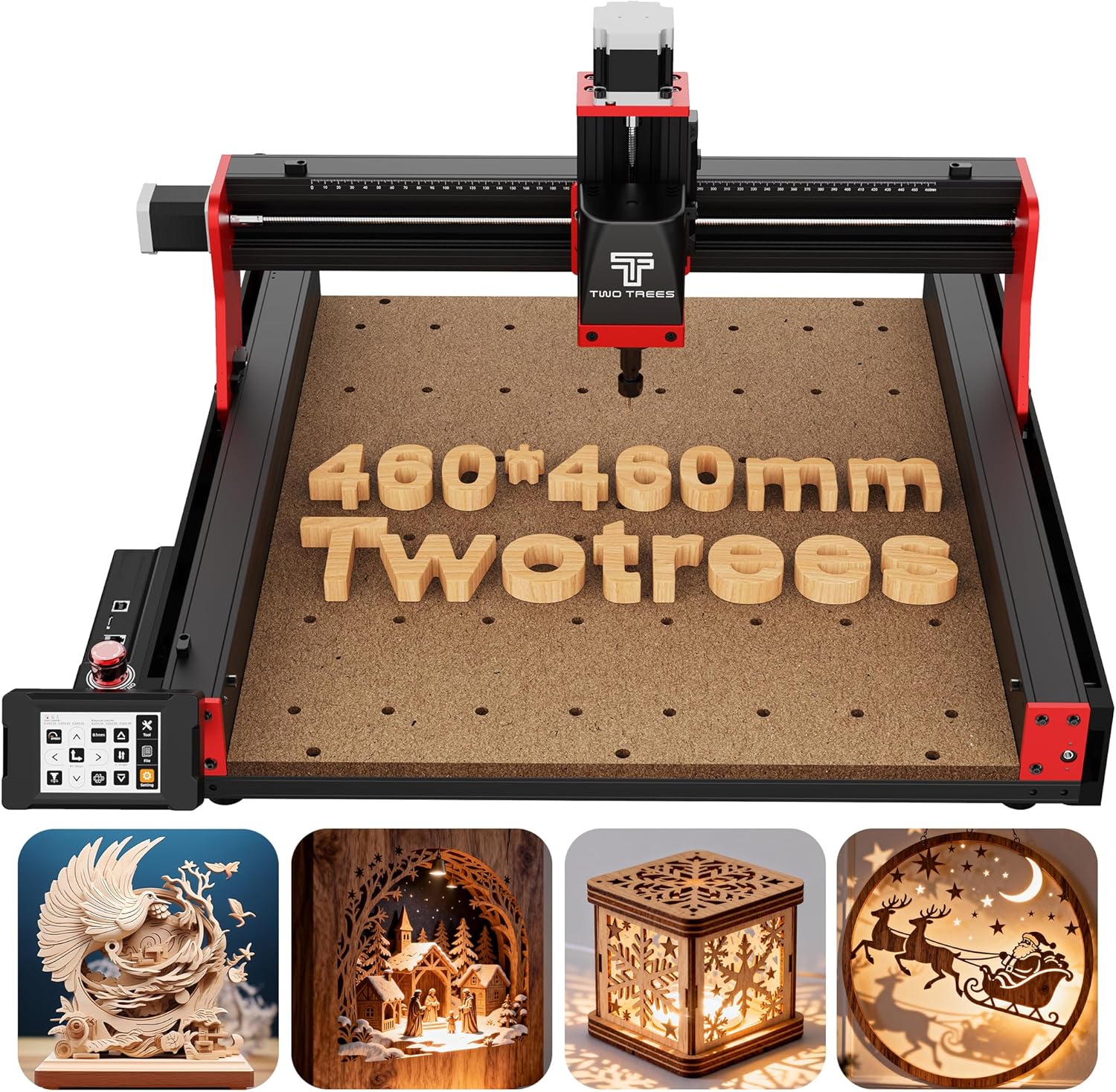
The Twotrees TTC450 Pro is for you if a 3018-size machine already feels cramped or you expect your projects to grow. It has a 460 x 460 x 80 mm (18.1-inch square) work area, a Z-axis driven by a 57 stepping motor, and an aluminum alloy and stainless steel frame.
That square bed fits furniture panels and large signage. You can also batch-produce several small pieces in one run. The 80 mm Z travel gives you room for deeper relief carving and multi-layer engraving than a small desktop router allows.
The maker lists a 3.5-inch IPS capacitive touch screen on the control box. You can jog the machine and start jobs at the machine itself, without walking back to a laptop for every step.
The control box also has a 4th-axis rotation port, a laser module port and a 500W spindle speed control port. You can add a rotary axis for round parts or a laser for engraving and cutting later, without replacing the whole machine. The kit includes 10 cutting tools, 6 clamping plates and a 775 brushed spindle motor. That means you can start cutting before you buy extra bits.
Pros
The large 460 x 460 mm bed handles panels and batch work.
Ports let you add a 4th axis, a laser and a 500W spindle.
Buyers say the build quality is good, especially the pancake stepper motor.
Buyers find it easy to set up and use.
Cons
Buyers report units that stopped working after about a month, ran hot or lacked power for the job.
At 20.5 kg, it is heavy and needs a sturdy bench with more space than a desktop 3018.
If you are just starting out or working at a small desk, the TTC3018 is the better fit.
FoxAlien Masuter Pro: Best for spindle upgrades

The FoxAlien Masuter Pro is the pick if you want a router that can grow with a stronger spindle later. It ships with two spindle clamps, 52mm and 65mm, that fit 60W and 300W spindles, and the maker lists upgrade options such as a 65mm router or a 1.5KW spindle for heavier carving. You can start small and move to more cutting power without replacing the whole machine.
The frame is all aluminum with a linear rail Z-axis. A linear rail guides the up-and-down motion on a smooth track, so the bit wobbles less as it plunges, which helps when you carve fine lettering or make clean pocket cuts. A rigid frame also matters more once you fit a heavier, more powerful spindle.
The controller box is dust-resistant and has emergency stop and home buttons within easy reach. Sawdust gets everywhere in a shop, so a sealed box protects the electronics. A big stop button lets you halt a job fast if a bit grabs or a clamp slips. The machine handles wood, acrylic, MDF and nylon. That covers most hobby work: signs, inlays, jigs, small boxes and acrylic nameplates.
Two spindle clamps included, with room to upgrade to a 1.5KW spindle
All-aluminum frame and linear rail Z-axis for steadier cuts
Emergency stop and home buttons on a dust-resistant controller
Cuts wood, acrylic, MDF and nylon
Pros
Clear upgrade path for spindle power
Rigid frame suited to detailed engraving
Easy-to-reach safety stop
Cons
The included 60W spindle is light for deep cuts, so heavier carving means buying an upgrade
A 69mm spindle clamp is sold separately
If you want a bigger work area and more frame mass from the start, look at the Twotrees TTC450 Pro instead.
LONGER Ray5 10W: Best for engraving signs and gifts

The LONGER Ray5 10W is the pick for people who want to put names, logos and designs on wood signs, home decor and gifts. It pairs a 10W dual-beam laser with a 400 × 400 mm working area, and the maker lists wood engraving, signs, home décor, tumblers and personalized gifts as its intended work.
A 400 × 400 mm area is a little under 16 x 16 inches, so you can engrave a full-size porch sign in one pass or lay out a batch of coasters and run them together. The laser has a 0.06 × 0.06 mm spot and 0.01 mm engraving accuracy, which means fine script and small logo details stay crisp. It works on wood, leather, acrylic and anodized metal, so one machine covers cutting boards, leather patches and engraved tumblers.
The ESP32 controller can operate several laser engravers at the same time, which helps if you sell at craft fairs or run a small shop and want two machines working on one order. You get a 3.5-inch touchscreen and can connect over USB, TF card, Wi-Fi or the app, and it works with LaserGRBL, LightBurn and LONGER’s own LaserBurn software. At 9.38 pounds, it is the lightest machine on this list, so moving it from a shelf to the bench is easy.
Pros
Large 400 × 400 mm area for signs and batches
One controller can run several machines for small business production
Emergency stop, motion protection and overheat detection, with protective covers and safety goggles included
Works with LightBurn and LaserGRBL
Cons
It burns designs into the surface, so it cannot carve deep reliefs or mill pockets the way a router does.
Engraving tumblers and other round items depends on what the machine supports, since it works on a flat bed.
If you want to carve 3D shapes or cut joinery in wood, look at a router such as the Twotrees TTC3018 instead.
What to look at before buying a CNC
Start by deciding whether you want to carve into wood or mark its surface, because that choice picks the machine type for you. A CNC router spins a cutting bit and removes material, so it can carve reliefs, cut pockets and mill soft metals. A laser burns an image onto the surface, which is ideal for signs, tumblers and personalized gifts, though it does not carve depth the way a router does.
Next, compare the work area and Z depth with the biggest piece you expect to make. Z depth is how far the bit can travel up and down, so it limits how thick your stock can be and how deep you can carve. A 300 x 180 x 45 mm area on a 3018-size machine suits small engraving, PCB milling and prototype parts without taking over your bench. If you plan furniture panels or large signage, a 460 x 460 x 80 mm area gives you room for them and nearly twice the carving depth.
Match spindle power to the materials on your list. A 120-watt spindle at up to 20,000 rpm handles wood, acrylic, PVC and PCB, and cuts soft aluminum only with the right bits and settings. Hardwoods and deeper passes call for a machine that accepts a bigger spindle, such as one with clamps sized for 300W spindles and a 1.5KW upgrade option.
Finally, look at the frame and controls. An all-metal frame with a linear rail Z-axis resists the flex that blurs fine detail. An easy-to-reach emergency stop lets you halt a bad cut in a second. Expansion ports for a 4th axis, a laser module and 500W spindle control let the machine grow with your skills instead of being replaced.
Where to start
Start with the TTC3018: it is the first pick for a first desktop CNC because it fits on a bench and gives you room to learn on wood, plastics and soft metals like copper and aluminum. You can make signs, small parts and classroom projects on it before you know which bigger machine you actually need.
Before you order, decide whether you want to cut into material or mark its surface. A router carves depth into wood and plastic, while a laser such as the LONGER Ray5 engraves signs, tumblers and gifts. Pick that first, and the right machine on this list follows.