The Genmitsu 3018-PRO is the first pick for beginners shopping for the best CNC machine for a home shop, because its upgraded assembly reduces setup complexity. That matters most in your first week, when you want to make a first cut instead of puzzling over parts. If you already know you need more from your machine, the other four picks cover the main reasons to step up. For a closer look, read Best CNC Machine for Woodworking: 5 Desktop Routers Compared.
One gives you a much bigger bed, the Twotrees TTC450 Pro, with an 18.1-inch square working area. The LUNYEE 3018 Pro Max carries a 500W spindle for denser stock, and the FoxAlien Masuter Pro and Genmitsu 4040-PRO leave room to fit a stronger spindle later.
All five are desktop 3-axis routers that fit on a workbench and handle wood and acrylic. Below you’ll find what each one does well, where it falls short, and how to match a machine to the projects you have in mind. For the next step, see Best CNC for Woodworking: 5 Desktop Routers for Home Shops.
As an Amazon Associate we earn from qualifying purchases.
How we picked: from products sold on Amazon for this need, compared by what their makers state and what buyers report in their reviews.
The Picks at a Glance
Product | Best for | Item dimensions w x h | Item weight | Maximum rotational speed | Buyer rating | |
|---|---|---|---|---|---|---|
Genmitsu 3018-PRO | CNC beginners | 7.09″W x 11.81″H | 15.3 lb | 20000 rpm | 4.1 of 5 (1,703 reviews) | |
Twotrees TTC450 Pro | larger projects | 18″W x 3″H | 20.5 kg | — | 4.3 of 5 (607 reviews) | |
LUNYEE 3018 Pro Max | harder materials | 7.09″W x 11.81″H | 13 kg | 12000 rpm | 4.0 of 5 (258 reviews) | |
FoxAlien Masuter Pro | upgrading spindles | 26″W x 12.6″H | 13 kg | 10000 rpm | 4.1 of 5 (653 reviews) | |
Genmitsu 4040-PRO | consistent carving depth | 15.7″W x 3.1″H | 20.84 kg | 9000 rpm | 4.0 of 5 (601 reviews) |
Buyer ratings as shown on Amazon on November 24, 2026; they change.
Genmitsu 3018-PRO: Best for CNC beginners

The Genmitsu 3018-PRO is a compact desktop kit made for people who are new to CNC, along with makers and DIYers. Its upgraded assembly cuts down setup complexity, and a raised base adds stability, so you spend less time building and more time learning to carve, engrave and mill.
You can cut wood, acrylic, PVC, plastic, PCB and soft aluminum as long as you use the right bits and cutting settings. In practice that covers a small wooden sign, an acrylic nameplate or a circuit board prototype. Soft aluminum is possible, but the bit and settings decide whether the cut comes out clean.
The machine runs on open-source GRBL control, and you use Candle to move the machine and run G-code files. Because GRBL has a large user community, it is easy to find answers when your first job does not go as planned. An included offline controller runs basic functions and compatible G-code files without a computer attached. You can leave the laptop off the bench for simple jobs.
The working area is 300 x 180 x 45 mm, about 11.8 x 7.1 inches with 1.8 inches of depth. That fits engraving, PCB milling and small woodworking pieces without taking over your workbench.
Pros
Buyers say it is a good entry-level machine for learning CNC.
Buyers praise the build quality.
The offline controller runs jobs without a computer.
At 20000 rpm, its maximum spindle speed is higher than the LUNYEE 3018 Pro Max’s 12000 rpm.
Cons
Buyers report that the motor connections on the X, Y and Z axes come loose over time, so you will need to recheck them now and then.
Some buyers find assembly complicated and say the included instructions leave steps out.
The 300 x 180 mm bed limits you to small pieces, so larger signs and panels will not fit.
If you already know you want to cut big signs or panels, the Twotrees TTC450 Pro is the better fit.
Twotrees TTC450 Pro: Best for larger projects
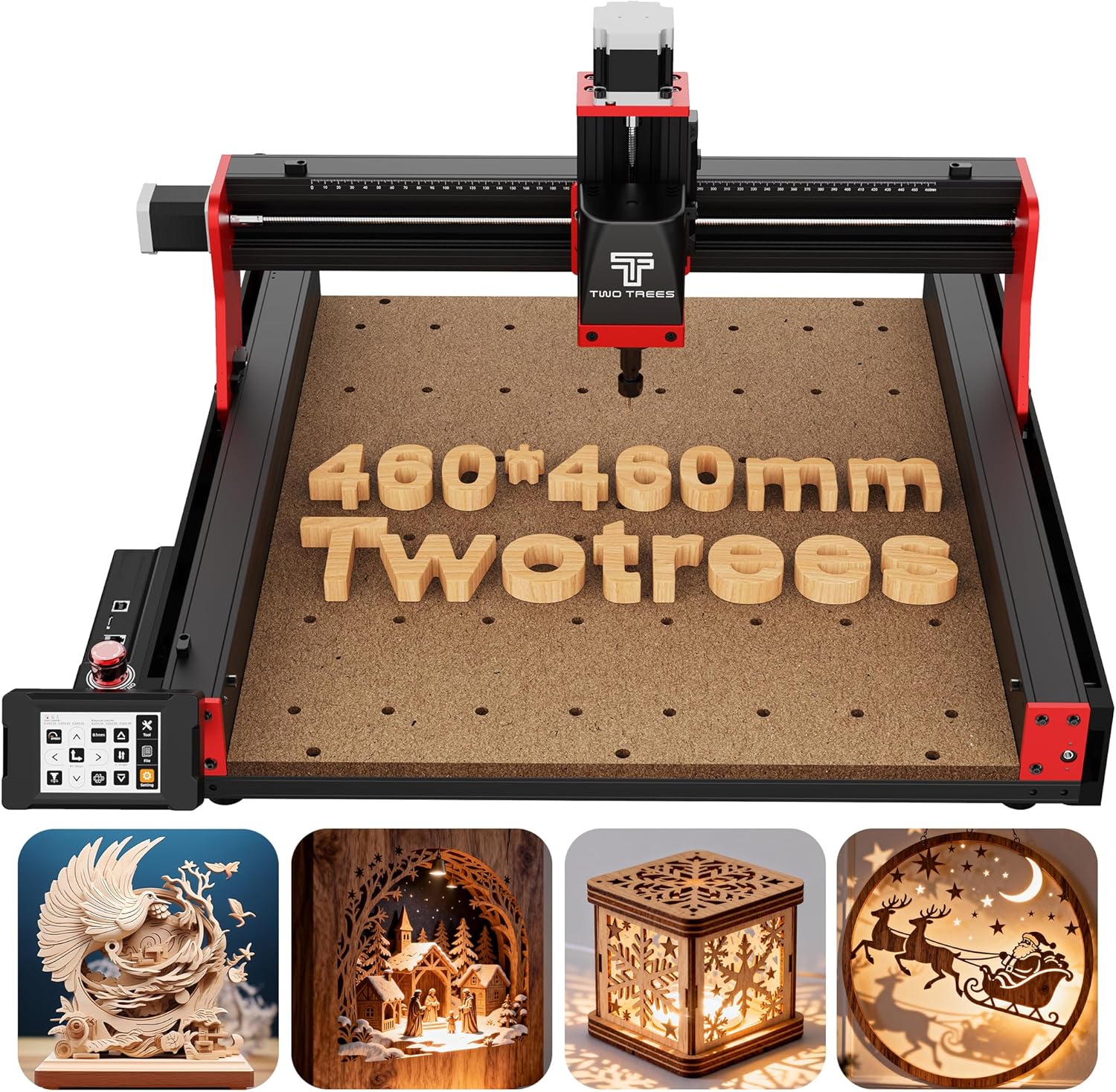
The Twotrees TTC450 Pro is the pick for larger projects. Its square work area is 18.1 inches (460 x 460 x 80 mm), and the maker says that is enough for furniture panels, large signage and batch production. If you want to cut a full-size sign or several small parts in one run, this one has the room.
That square bed changes how you plan a job. You can lay out a wide sign in one piece instead of splitting it into sections and gluing them together afterward. You can also clamp a sheet of small parts, such as coasters or ornaments, and cut the whole batch without re-homing the machine between pieces. The 80 mm of Z travel is the vertical clearance for your stock and bit, so thick slabs need checking against it.
You run the machine from a 3.5-inch capacitive touch screen. You can start and jog jobs at the machine without walking back to a computer for every step. The control box also has ports for a 4th-axis rotary, a laser module and 500W spindle speed control. You can start with wood carving now and add laser engraving or cutting later without replacing the controller. The rotary port lets you carve round work like table legs or pens once you buy that attachment.
Pros
The 18.1-inch square bed fits signs and panels
The touch screen lets you control the machine without a computer
Upgrade ports for laser, rotary and a 500W spindle
Buyers say it is easy to set up and use, and praise its build quality
Cons
Some buyers report it running hot, lacking power for the job or failing after about a month
At 20.5 kg, it is heavier to move and needs a sturdy bench
Its 80-watt rating is lower than the 120 watts of the Genmitsu 3018-PRO
If you are new to CNC and want a simpler first machine, start with the Genmitsu 3018-PRO instead.
LUNYEE 3018 Pro Max: Best for harder materials

The LUNYEE 3018 Pro Max is the pick if you want a small machine that can go past wood and plastic into metal. It has a 500W spindle, and the maker says it handles dense materials like aluminum and copper. You get that cutting power in the same compact 3018 footprint as the beginner kits.
The spindle runs from 0 to 12000 RPM. You can slow it down for metals, where you want lower speeds and light passes, or bring it up for clean edges in acrylic and MDF. The machine moves at up to 5000 mm/min. That lets it cover the bed quickly between cuts, so a batch of small coasters or nameplates goes faster.
The frame is all metal, built from reinforced aluminum profiles with no plastic parts except the electrical components. A stiffer frame flexes less when the bit meets hard material, and that shows up as cleaner, more even cuts. It has 6 limit switches and an emergency stop button. The limit switches keep an axis from crashing past its end, and the stop button lets you halt a bad cut in a second. Manual handwheels on the X, Y and Z axes let you set the machine origin by hand.
Pros
The 500W spindle handles aluminum and copper
Z-axis travel is 80mm, so you have room for thicker stock
Buyers say the all-metal build feels solid and stable
Buyers find assembly easy with the included instructions and videos
Cons
Some buyers report connectivity problems with the machine
Buyers find the learning curve steep for beginners
The 300 x 180 x 80mm work area holds only small pieces, so it is no fit for signs or larger panels
If you mostly cut wood and want bigger pieces, the Twotrees TTC450 Pro is a better fit.
FoxAlien Masuter Pro: Best for upgrading spindles

The FoxAlien Masuter Pro suits makers who want to start with a modest spindle and move to a stronger one later without buying a new machine. It ships with two spindle clamps, 52mm and 65mm, that fit 60W and 300W spindles, and the maker offers upgrades such as a 65mm router or a 1.5KW spindle for heavier carving.
The maker lists an all-metal framework with a linear rail Z-axis, aimed at detailed engraving and cutting on wood, acrylic, MDF and nylon. A linear rail is a precision guide that keeps the up-and-down axis from wobbling, so fine lettering and shallow detail stay crisp instead of fuzzy at the edges.
The controller sits in a compact, dust-resistant box with emergency stop and home buttons within easy reach. In daily use, sawdust is less likely to clog the electronics, and you can halt a bad cut or send the bit back to its starting point without hunting for a button.
The stock setup is modest: the spindle is rated at 60 watts with a top speed of 10000 rpm. That is fine for engraving and light cuts in soft materials. The 300W spindle or a router upgrade is the path to deeper cuts in hardwood.
Pros
Two clamp sizes let you step up spindle power on the same frame
Linear rail Z-axis for detailed engraving
Dust-resistant controller with easy-reach emergency stop
Router and 1.5KW spindle upgrade paths
Cons
The included 60W spindle is weaker than the 120 watts of the Genmitsu 3018-PRO, so heavier cuts mean buying an upgrade
At 26 inches wide, it needs more bench space than the compact picks
If you want strong cutting power straight out of the box for aluminum or copper, the LUNYEE 3018 Pro Max with its 500W spindle fits better.
Genmitsu 4040-PRO: Best for consistent carving depth
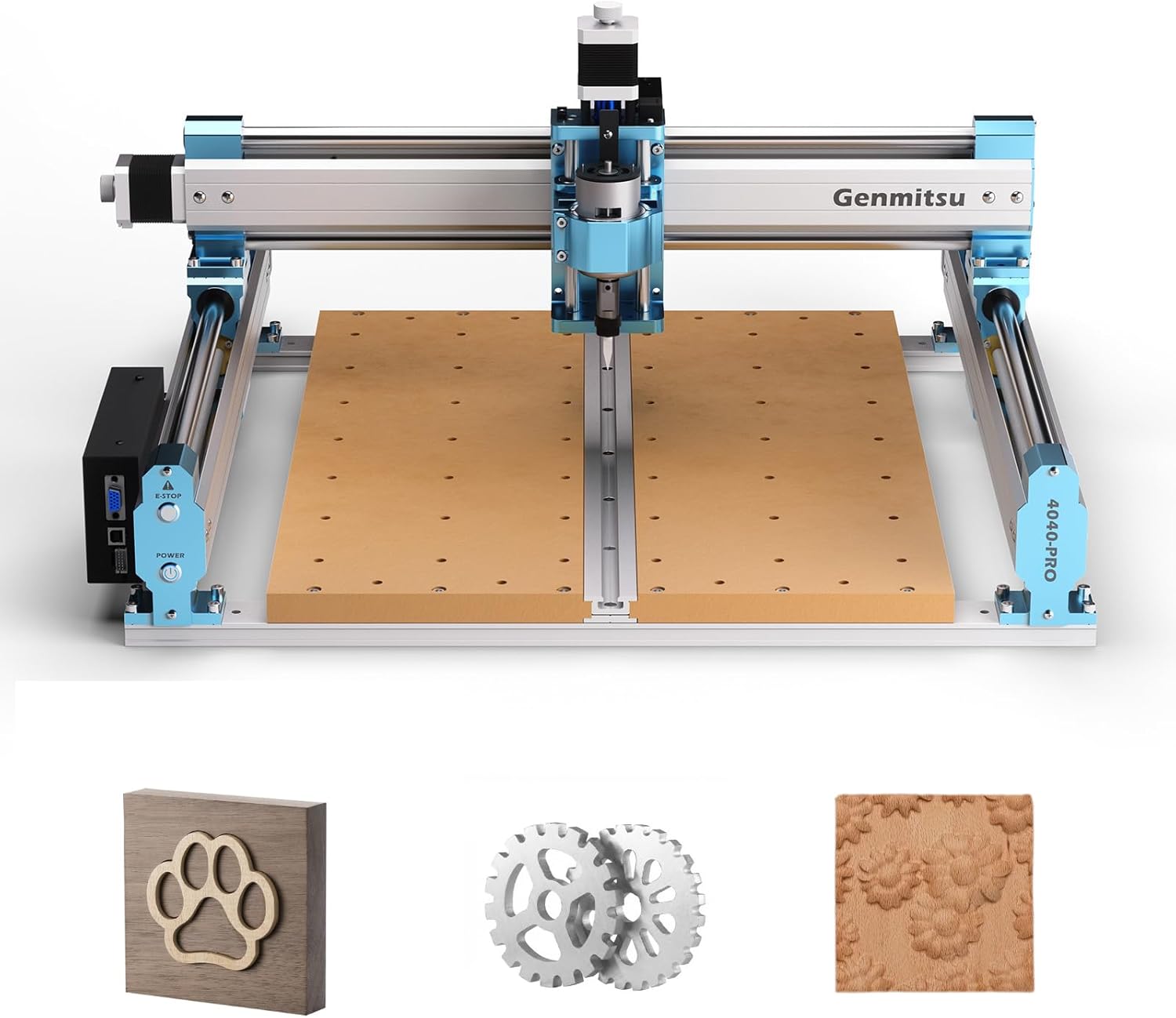
The Genmitsu 4040-PRO is the pick if your carvings need even depth across a full board, such as a relief or a sign with lettering cut to one depth edge to edge. Genmitsu built it around a reinforced hybrid spoilboard with a center aluminum support bar, made to reduce sagging and keep the work surface flatter. That suits makers moving from small engravings to larger flat pieces.
A spoilboard is the sacrificial top layer your workpiece sits on, and if it bows in the middle, a pocket set to 1/8 inch can come out shallower at the center than at the edges. The support bar under the middle is meant to stop that, which helps most on wide pieces where sag shows up first. Motion comes from dual 16mm HSS steel tubes on each axis with lead-screw drives, which the maker says gives a rigid system for smooth, accurate movement. Stiffer rails flex less when the bit bites into the wood, so fine engraving lines stay crisp instead of wobbling.
The 32-bit controller uses silent Toshiba drivers for quieter operation. The stepper motors are a steady background noise on any CNC, so quieter drivers make long carving jobs easier to live with in a garage or a spare room near the rest of the house.
Pros
The center-supported spoilboard keeps depth more even across the bed
Dual steel tubes and lead screws on every axis
Quiet Toshiba drivers for shared living spaces
Buyers say the frame feels sturdy and the build is solid
Cons
Buyers complain the spindle is underpowered for cutting, which matters if you plan deep or dense cuts
Some buyers report parts breaking or units not working correctly after setup
At 20.84 kg it is the heaviest of these picks, so plan for a sturdy bench and a helper to move it
If cutting aluminum or other dense material is your main goal, the LUNYEE 3018 Pro Max is the better fit.
What should you look for in a hobby CNC router
Start with the work area, because it caps the size of every piece you can cut. Measure the largest sign, panel or part you plan to make, then pick a machine whose bed covers it with a little room for clamps. A 300 x 180 x 45 mm area suits small engraving, PCB milling and prototype parts. A 460 x 460 x 80 mm area is big enough for furniture panels and large signage.
Spindle power comes next. A 120-watt spindle is a starting point for soft materials. If you want to cut aluminum or copper, look for more power: a 500W spindle is built for dense materials like those. Higher wattage lets you take steadier passes in hard stock instead of stalling or chattering.
Frame rigidity keeps your cuts consistent from one end of the bed to the other. An all-metal frame with no plastic parts outside the electronics resists wear and flex. Support under the bed matters too: a center aluminum bar under the spoilboard reduces sagging, so carving depth stays even across larger projects.
Safety and control features round out the list:
An emergency stop button and limit switches on each axis stop the machine before it crashes into its own frame
An offline controller lets you run G-code files without keeping a computer connected
A touch screen gives you control right at the machine
Upgrade ports for a 4th axis or laser module let the machine grow with your skills
Common questions about desktop CNC machines
Can a desktop CNC cut aluminum?
Yes, some can, as long as you match the bits and cutting settings to the metal. The Genmitsu 3018-PRO handles soft aluminum with the right bits and cutting settings. That makes it fine for thin plates or small brackets, but you should plan on slow, shallow passes rather than heavy cuts.
If metal is a regular part of your work, the LUNYEE 3018 Pro Max is the one built for it, with a 500W spindle the maker says cuts dense materials like aluminum and copper. The Twotrees TTC450 Pro also lists aluminum, copper and stainless steel among its materials.
Can I add laser engraving later?
Yes, if the machine has a laser port in its control box. The Twotrees TTC450 Pro has a laser module port, so you can turn it into a combined CNC carving and laser engraving machine without replacing the controller. That lets you start with routing and add a laser module once you want to burn designs into wood or cut thin sheets.
Is a 3018 big enough for signs?
Only for small ones. The 3018-PRO’s working area is 300 x 180 x 45 mm. That’s about 11.8 x 7 inches, so a house number plaque or a desk nameplate fits, but a porch sign or a family name board won’t fit in one piece. For full-size signs, look at a machine with a bigger bed, such as the Genmitsu 4040-PRO with its 17.13 x 15.75-inch working area.
Which CNC router to buy first
Your first step is choosing the work area you need, because it caps the size of every piece you can make. Measure the largest sign, panel or part you plan to cut, then buy a machine whose bed fits it with room to clamp.
For most beginners, the Genmitsu 3018-PRO is the first pick. Its 300 x 180 x 45 mm working area fits small woodworking, engraving and PCB projects without taking over your workbench. In daily use that means coasters, name plates and small parts, a good scale for learning. If your sketches already outgrow that footprint, start your shortlist with a larger-bed machine instead.